
Couch Trivia Quiz party game
Roy SolbergTrivia
4.45.00 Reviews
- Version
- 2.7.0
- Installs
- 50.00K
- Age Rating
- Everyone
Screenshots
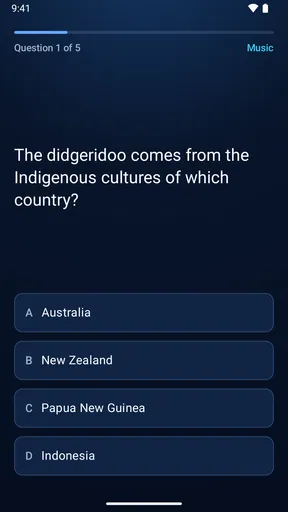
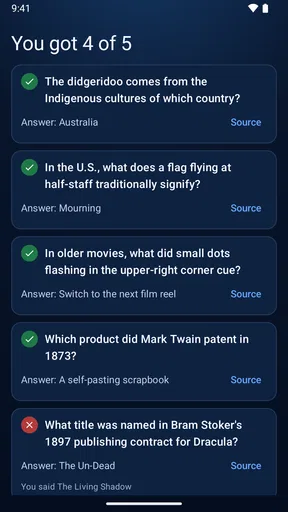
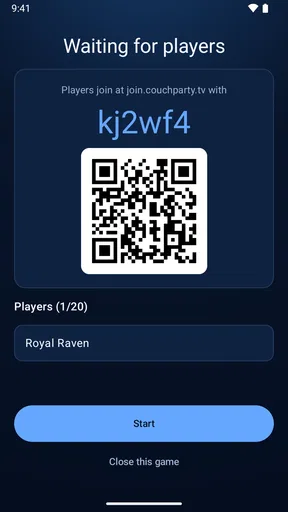
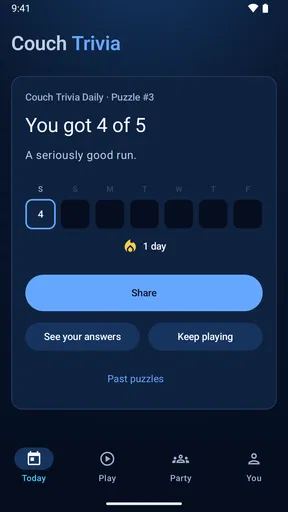
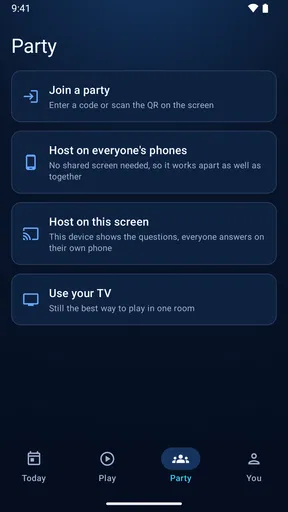
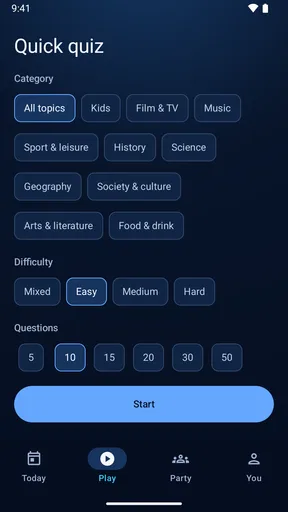
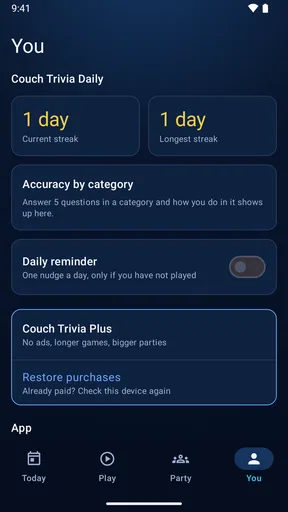
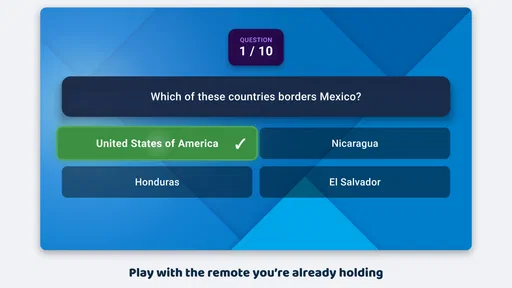
Our Review of Couch Trivia Quiz party game
 Analysis by Appyee
I like party games that remove the awkward setup between deciding to play and actually having fun. Couch Trivia Quiz takes that idea seriously: it turns a television remote into the shared control point while each player joins from a phone browser. In my experience, that makes it a particularly practical trivia game for a living room, because nobody needs to pass around a dedicated controller or learn a complicated interface before the first question.
This is a free trivia game from developer Roy Solberg, rated for Everyone, and its central appeal is easy to understand. The television gives the group a common screen, while phones act as personal ways to participate. That arrangement feels closer to a casual quiz night than to a conventional mobile game. I would recommend it most to people who already enjoy answering questions together and want a low-friction way to make a normal evening more interactive.
There is an important qualification, though. This is not the best choice if you want a deep solo experience, a large competitive ladder, or the precision and speed of a dedicated console game. Its success depends on the room, the screen, the phones, and the willingness of everyone present to join in. When those pieces line up, the format is clever. When they do not, the simplicity becomes a limitation.
Why the living-room format works so well
The strongest idea here is the division of attention. Instead of shrinking the whole game onto one phone, the quiz can be experienced collectively on a television while participants use their own browsers. That matters in a group setting: the question remains visible to everyone, and each person has a private place to respond rather than leaning over a shared device.
I find this more welcoming than handing a phone from person to person. A shared handset tends to slow down a quiz and gives the same player control over the whole round. With Couch Trivia Quiz, the physical arrangement encourages simultaneous participation. It also means guests can use devices they already understand, which is less intimidating than asking them to install a controller app or pair a gamepad.
The setup is best treated as part of the evening rather than something to hide. I would put the television where everyone can read it comfortably, keep phones charged, and make sure the browser connection is ready before announcing the first round. That small preparation prevents the most common party-game problem: half the group is playing while the other half is still trying to get in.
A useful trick is to designate one person as the host for the first session. That person can handle the TV remote and explain the joining process while the rest of the group focuses on the questions. Once everyone understands the rhythm, the role can rotate. This makes the game easier to introduce to relatives or friends who are not regular mobile gamers.
The remote-based design also changes the social feel. A gamepad usually makes players look down at a controller, while this format keeps the television as the visual center. Phones still matter, but they are not the entire experience. I noticed that this encourages comments, guesses, and playful arguments between questions, which are often more memorable than the score itself.
A better fit for spontaneous quiz nights
Because the game is free to start, it is easier to suggest casually than a paid party title. You can imagine using it after dinner, during a family visit, or when friends are already gathered and want something more structured than conversation. The Everyone age rating also makes it more suitable for mixed-age rooms than trivia built around adult humor or mature themes.
That does not mean every question will suit every group equally. Trivia depends heavily on shared interests. A room full of sports fans may respond differently from a group that prefers films, history, science, or general knowledge. I would approach the game as a flexible activity rather than a guarantee that every participant will know the same material.
The most enjoyable way to use it is to keep the atmosphere light. If one person treats every answer as a serious test, less confident players may stop joining in. I prefer encouraging quick guesses and allowing people to explain why they chose an answer. The game works best as a social prompt, not as an examination.
There is also a practical advantage to using personal phones: people can keep their own device in hand without sharing contact details or passing hardware across the sofa. That makes the format feel natural for guests who arrive with different types of phones. It is a small design decision, but it removes one of the usual barriers to group play.
What I would do before inviting everyone in
I would test the connection with one phone before gathering a full group. This is not because the game is complicated, but because a television-and-browser setup has more moving parts than a single-device quiz. Checking the screen, the joining flow, and the readability from the seating area gives you a chance to fix the environment before the social pressure begins.
I would also avoid placing the TV too far away or relying on a tiny screen in a bright room. Trivia loses its appeal when players must ask someone to read every question. If the room is large, seating position becomes part of the game design. People should be able to glance up from their phones and immediately understand what is happening.
For a family session, I would let younger players answer with an adult rather than making speed the only measure of success. For a group of adults, I would use the first round as a warm-up and avoid turning the score into the main topic. These choices are not built-in features, but they make a real difference to whether the app feels inclusive.
Another useful workflow is to keep the first session short. A quick trial lets everyone learn how the phone interaction feels and reveals whether the room enjoys this kind of quiz. If the group is enthusiastic, continue. If not, you have avoided spending an entire evening forcing a format that does not suit the audience.
Where the experience falls short
The same simplicity that makes Couch Trivia Quiz approachable can leave experienced players wanting more depth. A dedicated trivia platform may offer richer progression, specialized categories, detailed player profiles, or a stronger solo mode. I would choose one of those alternatives if my main goal were long-term personal improvement rather than a shared activity.
The game is also dependent on a television and a workable browser connection. That is a meaningful trade-off, not a minor inconvenience. A mobile-only trivia game is easier to use on a train, in a waiting room, or anywhere without a large screen. Couch Trivia Quiz is specifically strongest in a living room, so its usefulness narrows when the group is away from that setting.
There is a social weakness too: the person holding the remote can influence the pace and flow of the session. In a friendly group, that is easy to manage. In a competitive group, people may disagree about when to move on or how to interpret a round. I would establish a simple host rotation or let one neutral person manage the screen to prevent the role from becoming a source of friction.
Phone-based participation is convenient, but it is not completely invisible. Some guests may have low battery, an inconvenient browser setup, or little interest in using their phone during a social gathering. A controller-based party game can sometimes feel more deliberate because everyone receives the same physical input device. Here, the convenience of “use your own phone” comes with the responsibility of making sure everyone is comfortable doing so.
The free entry point is appealing, but in-app purchases range from $1.99 to $9.99 per item. I would treat the free experience as the sensible starting point and decide later whether additional purchases are worthwhile for your group. The important question is not simply whether an optional item is affordable; it is whether your household will play often enough for that purchase to add value.
That purchase model also makes the game less straightforward than a completely paid party title. With a one-time purchase, you generally know the cost before the evening begins. Here, I would avoid making any purchase during a first session. Let the group establish whether it enjoys the basic format, then consider spending only if the game becomes a regular part of your gatherings.
Another limitation is that the experience relies on the quality of the questions and the rhythm of the rounds. Trivia players are sensitive to repetition, unclear wording, and topics that feel too narrow. I cannot recommend it as a replacement for a carefully hosted quiz night where someone writes questions specifically for the audience. Its advantage is convenience, not the personal touch of a custom quiz.
How it compares with familiar alternatives
Compared with a standard trivia app played on one phone, this game is better at creating a shared focal point. Everyone can look at the TV and respond from an individual device. The trade-off is that a normal phone quiz is easier to start anywhere and may be better for one person or two friends sitting together.
Compared with a console party game, the main advantage is accessibility. You do not need a collection of gamepads, and guests are less likely to be unfamiliar with the basic controls. A console alternative may still feel more polished for people who care about rapid input, visual presentation, or a larger variety of game modes.
Compared with a traditional spoken quiz, Couch Trivia Quiz saves the host from reading every question and manually tracking responses. That can make the evening smoother. A human host remains better, however, when you want personalized categories, jokes about the guests, flexible scoring, or the ability to pause and discuss an answer.
Compared with online competitive trivia, this is more intimate and less dependent on strangers or public rankings. I prefer that for family gatherings and small groups. Players who want a persistent sense of advancement, a serious competitive community, or a reason to return alone may find the living-room focus too narrow.
Who should install it
I think the ideal audience is a household or friend group with a television, several phones, and a genuine appetite for casual questions. It is especially useful for people who want a game that non-gamers can understand quickly. The browser-based participation makes the invitation less demanding than asking guests to download a separate controller application.
It is also a sensible option for mixed-age gatherings because the content rating is Everyone. I would still choose the audience and the tone carefully, but the rating makes it easier to consider for family use. The game can fill the gap between a board game that requires a table and a console title that expects players to know gaming conventions.
I would skip it if you usually play alone, dislike screen-based group activities, or do not have a convenient way to display the quiz. I would also look elsewhere if your priority is a highly strategic game rather than quick knowledge checks. People who want a large, persistent trivia hobby may be happier with a platform designed around individual practice and progression.
Its audience size suggests that it has already attracted a meaningful group of players, with over 50 thousand installs and an average score of 4.4 from around 293 ratings. I read that as encouraging for a small party game, though I would not use the score alone to decide. The more important question is whether your own group enjoys the television-and-phone arrangement.
Version, cost, and practical expectations
The current version is 2.7.0, and the game works on devices running Android 6.0 or later. That makes it accessible to people who are not using the newest phones, although a compatible operating system does not guarantee that every older device will feel equally comfortable in a group session. I would still test the oldest phone likely to be used before planning a large gathering.
There are five written reviews alongside the broader rating activity, so I would treat public feedback as a useful signal rather than a complete portrait of every type of household. My own recommendation is to judge the game during a short, low-pressure trial. The format is unusual enough that personal fit matters more than a numerical score.
Since the game is free, there is little reason to commit money before understanding its place in your routine. The optional purchase range makes sense only after repeated use. If you host quiz nights every month, additional content may be easier to justify; if this is a one-time experiment, the free starting point is the safer choice.
One final practical question is whether the game is suitable for a large party. I would be cautious about assuming that a bigger crowd automatically means more fun. The television must remain readable, everyone needs a comfortable way to participate, and the host must keep the pace moving. For a very large gathering, a conventional hosted quiz may offer better control, while this game should shine in a manageable living-room group.
My verdict is positive, but specific: Couch Trivia Quiz is best understood as a convenient social quiz tool, not a complete trivia ecosystem. Its cleverest feature is not a complicated game system; it is the decision to let the TV handle the shared view and let each player use a phone browser. That removes hardware clutter and gives casual guests a clear role.
I would install it for a family evening, a relaxed gathering with friends, or a quick after-dinner challenge where setup time matters. I would not choose it for solo study, serious competitive trivia, or a night that depends on custom questions and elaborate scoring. Those are not failures so much as boundaries created by its focused design.
After trying the format, I came away thinking that its value depends on the people around the screen. If your group likes shouting guesses, comparing answers, and laughing at unexpected knowledge gaps, the game can turn an ordinary television into the center of a good evening. If everyone would rather play privately or avoid using phones, the same setup may feel unnecessary.
For the right audience, the phone-as-controller approach is the reason to give this free trivia game a chance. Start with a short session, prepare the TV and browsers in advance, keep the first round friendly, and postpone any in-app purchase until the group has proved that it wants more. That is the fairest way to discover whether Roy Solberg’s party game belongs in your regular rotation.
Verdict
Strengths of Couch Trivia Quiz party game
- Supports lively multiplayer sessions with friends and family.
- Questions cover varied topics, keeping rounds unpredictable.
- Simple controls make it accessible for casual players.
- Quick rounds work well for short gaming sessions.
- Competitive scoring adds tension and replay value.
Limitations of Couch Trivia Quiz party game
- Requires several players to deliver the best experience.
- Some questions may feel repetitive after frequent play.
- Question difficulty can vary noticeably between rounds.
- May be less enjoyable for players who dislike trivia.
- Online features may depend on a stable internet connection.
Similar Picks in This Category
View All
Millionaire 2026 Quiz & Trivia
Quiz & Trivia Games by Submarine Apps4.5

Brain Test 2: Tricky Stories
Unico Studio4.7

Trivia Crack: Brain Quiz Games
etermax4.4

QuizzLand. Quiz & Trivia game
Quiz & Trivia Games by Mno Go Apps4.8

Brain Test: Tricky Puzzles
Unico Studio4.7

Logo Quiz
bubble quiz games4.5
Frequently Asked Questions
What is Couch Trivia Quiz, and how is the game played?
Couch Trivia Quiz is a local multiplayer trivia game designed for groups playing together in the same room. Instead of competing against strangers online, players typically use their phones or compatible devices to answer questions while the main game is displayed on a shared screen. The goal is to answer accurately and quickly, earn points, and enjoy a casual quiz-night experience with friends or family.
Can I play Couch Trivia Quiz with friends and family on one device?
The game is intended for social, couch-based play, making it a good choice for parties, gatherings, and relaxed evenings at home. Depending on the platform and setup, one device may host the game while other players join using their phones or controllers. Before downloading, check the current store description for supported devices, connection requirements, maximum player count, and whether a separate companion app is needed.
Does Couch Trivia Quiz require an internet connection?
An internet connection may be necessary for downloading the game, checking for updates, accessing online features, or connecting multiple devices through a shared network. However, the core local multiplayer experience may work without a permanent internet connection once everything is installed. Requirements can differ between Android, iOS, and other supported platforms, so it is worth confirming the latest information before starting a game.
What types of trivia questions and categories are included?
Couch Trivia Quiz focuses on general-knowledge entertainment, with questions usually covering familiar areas such as history, science, entertainment, sports, geography, and everyday facts. The variety is intended to keep matches accessible for mixed-age groups and players with different interests. Difficulty can vary from easy to challenging, and some questions may feel more relevant to particular regions or audiences.
Is Couch Trivia Quiz suitable for children, and are there any purchases or advertisements?
Couch Trivia Quiz can be suitable for family play, but parents should review the age rating and the content shown on the official app store page before downloading it for children. Trivia questions themselves are generally lighthearted, although advertising, optional purchases, tracking permissions, or online features may differ by version. Check the listing and in-app purchase details to understand the complete experience.
Play our best games!


